Guitar lessons for remote workers: a practical work-from-home routine
Guitar lessons for remote workers can fit work-from-home routines. Plan online lessons, practise consistently and protect your focus after work.
August 20266 min read
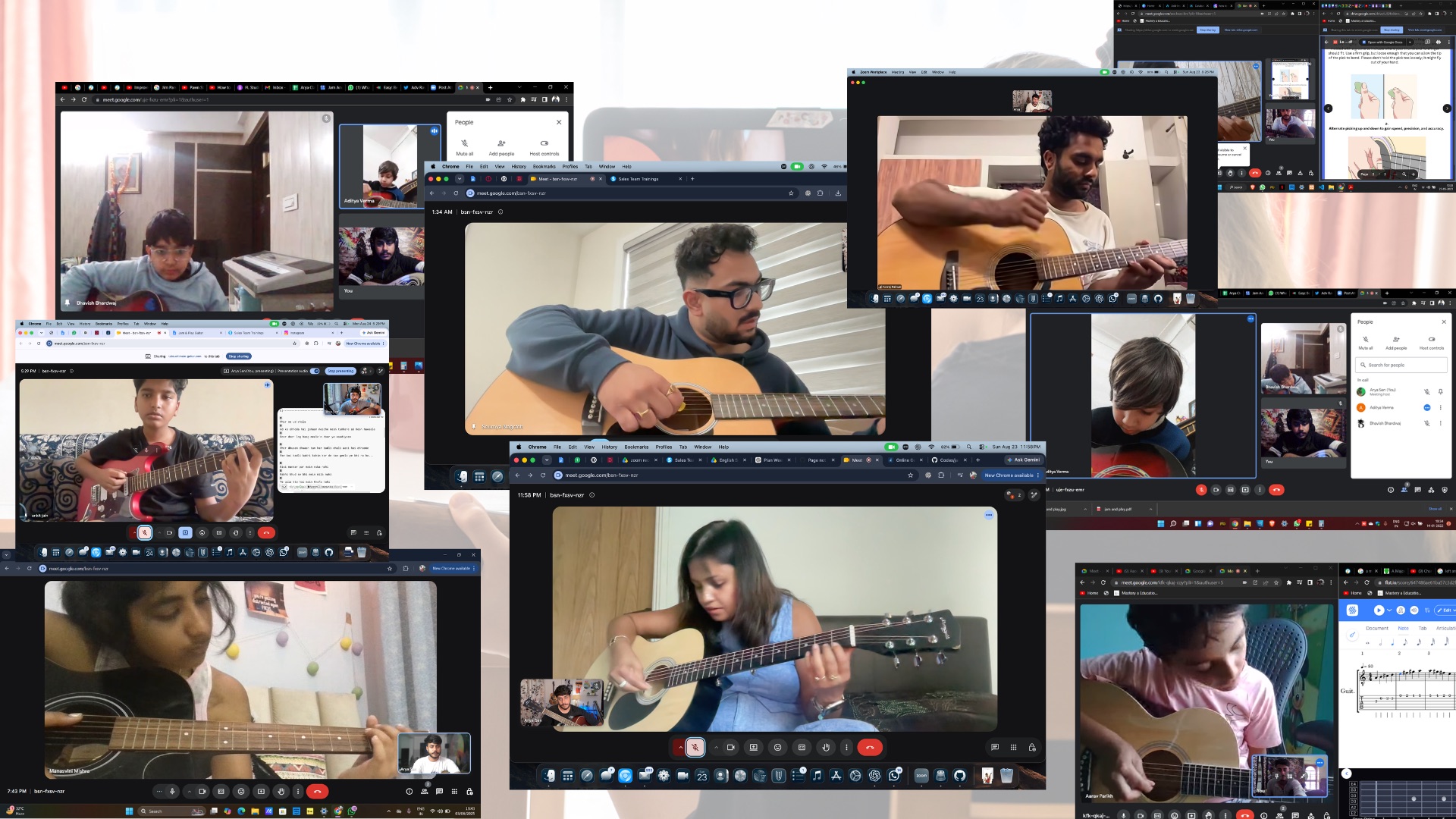
Working from home removes the commute, but it does not automatically create useful free time. Meetings spread across the day, work can spill into the evening, and the same room may need to serve as an office, practice space and place to relax.
Guitar lessons for remote workers become easier to sustain when the lesson has a protected place in the calendar and practice is separated from the working day. You do not need a perfect home studio. You need a workable setup, a clear transition out of work mode and a practice plan small enough to repeat.
Why remote work creates a different guitar-learning challenge
An office-based learner usually has a visible end to the workday: leaving the building and travelling home. A remote worker may close one tab and open another without changing chairs. That convenience can help with online lessons, but it can also make music feel like one more screen-based task.
- Meetings may move at short notice or run beyond their planned time.
- The guitar may be nearby but still remain untouched because work has no clear stopping point.
- A shared room may need to stay quiet during calls or family routines.
- Screen fatigue can reduce enthusiasm for another online activity.
- Flexible hours can become unpredictable hours unless lesson time is protected.
The solution is not to wait for an empty evening. Build a learning routine around the way your remote work actually operates.
Explore live online guitar classes at Jam And Play
Choose a lesson time your work calendar can defend
Look at the previous two or three weeks of your calendar before choosing a recurring lesson slot. Find the period that was interrupted least often, rather than selecting the time that looks ideal on one quiet day.
For some remote workers, an early lesson works because messages and meetings have not started. Others prefer a short transition after signing off. A lunch-hour lesson may work only when that break is genuinely protected. The best option is the slot you can keep without regularly negotiating with work.
- Leave a buffer before the lesson so a late meeting does not consume the setup time.
- Block the lesson in the work calendar as a personal commitment when appropriate.
- Avoid placing the lesson immediately after the most demanding recurring meeting.
- Keep one backup window in mind for weeks when your schedule changes.
- Tell the teacher about predictable busy periods such as month-end or release weeks.
Compare practice times for working professionals
Create a clear transition from work to guitar
A small transition helps the brain recognise that the working day has ended. Close work applications, silence non-essential notifications, stand up, drink water and move the chair or laptop into the lesson position. Even a short routine can stop work from following you into practice.
If possible, do not begin by checking email while holding the guitar. That keeps attention divided. Write down any unfinished work task before the lesson, then return to it later if necessary.
Set up one space that changes modes quickly
A remote learner rarely wants to rebuild the room before every class. Keep the guitar, picks, tuner, cable, notebook and stand together. If the instrument must be stored safely elsewhere, use one small basket or pouch for the accessories so nothing needs to be searched for.
For an online lesson, position the camera so the teacher can see both hands. The picking hand, fretting hand and part of your posture should remain visible. Use a stable device position and test the angle before the lesson rather than holding the phone during demonstrations.
- Place the device where the guitar neck stays inside the frame.
- Use enough front or side lighting for finger placement to be visible.
- Keep the charging cable away from your feet and instrument lead.
- Use headphones only when they still allow the teacher to hear the guitar clearly.
- Move work papers and drinks away from the instrument before playing.
Check the equipment needed for online guitar classes
Reduce screen fatigue during the lesson
Online guitar learning does not require staring at the teacher for the entire session. Once an exercise is explained, look at your hands, listen and play. Use the screen when you need a demonstration, chord chart or correction.
Ask for the practice instructions in a concise form that you can use away from the computer. A notebook, printed chord sheet or short saved note can make practice feel different from another video meeting.
Use short practice blocks between longer sessions
Remote work can make short practice accessible, but only if the block has a specific purpose. Picking up the guitar for five minutes without knowing what to play often becomes tuning, browsing and stopping.
Give each short block one job. You might repeat a difficult chord change, clap a rhythm, play four bars slowly or review one section of a song. Save full run-throughs for a longer session.
- Two minutes: tune and check posture.
- Five minutes: repeat one chord pair without adding the full song.
- Five minutes: practise one strumming pattern with muted strings.
- Five minutes: connect two short musical sections.
- Three minutes: record one attempt and note the next correction.
This is an example, not a rule. The teacher can change the proportions according to the skill that currently needs attention.
Try a 20-minute guitar practice routine for busy adults
Do not let the guitar become background furniture
Keeping the guitar visible can reduce setup friction, but visibility alone does not create practice. Connect playing to a reliable event: after the final scheduled call, before dinner or immediately after changing out of work clothes.
Make the first action obvious. A note on the music stand might say: tune, play the chord exercise at a comfortable tempo, then practise the assigned section. Starting should not require deciding between ten possible activities.
Protect the practice block from work notifications
A message arriving during practice can pull attention back into work even when no immediate reply is needed. Use do-not-disturb settings, close the work laptop or keep it outside the practice area when possible.
If your role requires you to remain reachable, define what counts as urgent and keep the practice block shorter. A focused ten minutes is more useful than a longer session interrupted every few minutes.
Plan for deadline weeks before they arrive
Consistency does not mean every week must look identical. During a demanding work period, reduce the practice target while preserving contact with the instrument. Review known material, play a short technique exercise or maintain one song section instead of abandoning the routine completely.
Tell the teacher when your capacity changes. The lesson can focus on correction, consolidation or a smaller assignment rather than introducing too much new material.
See how shift workers can learn with changing schedules
What to ask before joining online lessons
- Can the teacher observe both hands and posture during live playing?
- Will the practice plan be specific enough to use between lessons?
- Can the lesson focus on your musical goals rather than a generic video sequence?
- How should you share a short practice recording when a problem appears?
- What happens when a predictable work commitment affects the usual lesson time?
- Which camera and audio setup will suit your acoustic or electric guitar?
Clear answers help you judge whether the lesson format will work inside your routine. They also set expectations before work becomes busy.
A sample work-from-home guitar week
A realistic week might combine one live lesson, two focused practice blocks and a few short reviews. For example, take the lesson on a stable evening, practise the main correction the next day, revisit it later in the week and record a short attempt before the following class.
The exact frequency should match your goals, current level and availability. More sessions are not automatically better if every session is rushed. Leave enough space to repeat the teacher's corrections.
Learn how often beginners may take online guitar lessons
Common mistakes remote learners can avoid
- Booking the lesson inside an unprotected gap between meetings.
- Using the same desk position even when the guitar cannot be seen clearly.
- Practising while monitoring work chat.
- Choosing a large weekly goal instead of a repeatable minimum.
- Playing complete songs while ignoring the small section that needs correction.
- Skipping all practice during a busy week instead of reducing the task.
- Leaving setup until the lesson has already started.
Make remote work support your guitar learning
The advantage of learning from home is not simply convenience. It is the ability to design a repeatable environment: the same instrument, a familiar camera position, accessible practice materials and less travel between work and the lesson.
Use that advantage deliberately. Protect the lesson, create an end-of-work transition and give every practice block one clear task. The routine can remain flexible without becoming vague.
Start with a live lesson that fits your routine
Jam And Play offers live online guitar lessons that can be planned around the learner's schedule and goals. Share your work routine, current level and the kind of music you want to play so the first conversation can focus on a practical learning plan.
Want a clearer first step?
Meet a mentor, talk about what you want to play and get a learning plan built around your schedule.